Options for the Mini Trolley eComponents
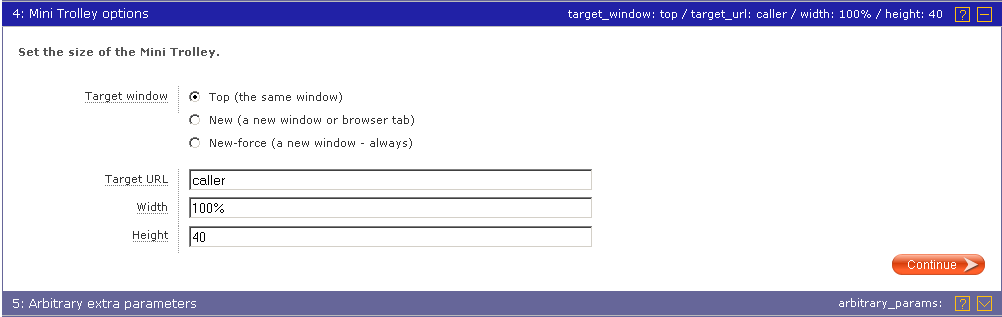
Mini trolley options
Use these options to configure the Mini Trolley.
Target window
When a customer clicks on the Mini Trolley, the eComponent loads new content so the customer can proceed. Use the Target window setting to control how this happens. Please note that the types of target window available depends on which mode you are using (see table below).
| Target window | How the new content opens when a customer clicks on the Mini Trolley |
|---|---|
| Top | New content is loaded in the topmost window containing the mini-trolley, replacing the previous content. |
| New | New content is loaded in a new browser window, or in a new browser tab, depending on the user's web browser preferences. This mode can be unreliable with some browsers |
| New-force | New content is loaded in a new browser window, never in a new browser tab, and the user's web browser preferences are ignored. This mode can be unreliable with some browsers |
Full trolley URL
When the customer clicks on the Mini Trolley, this URL will open in the frame as specified above.
Specify the URL of the page you have created containing a Full Trolley eComponent as an absolute URL, e.g. http://www.mysite.com/trolley.html.
Width, Height
Specify the size of the Mini Trolley's iframe, in pixels or as a percentage. We recommend a size of 120px wide x 32px high.