dmConsole QuickLink
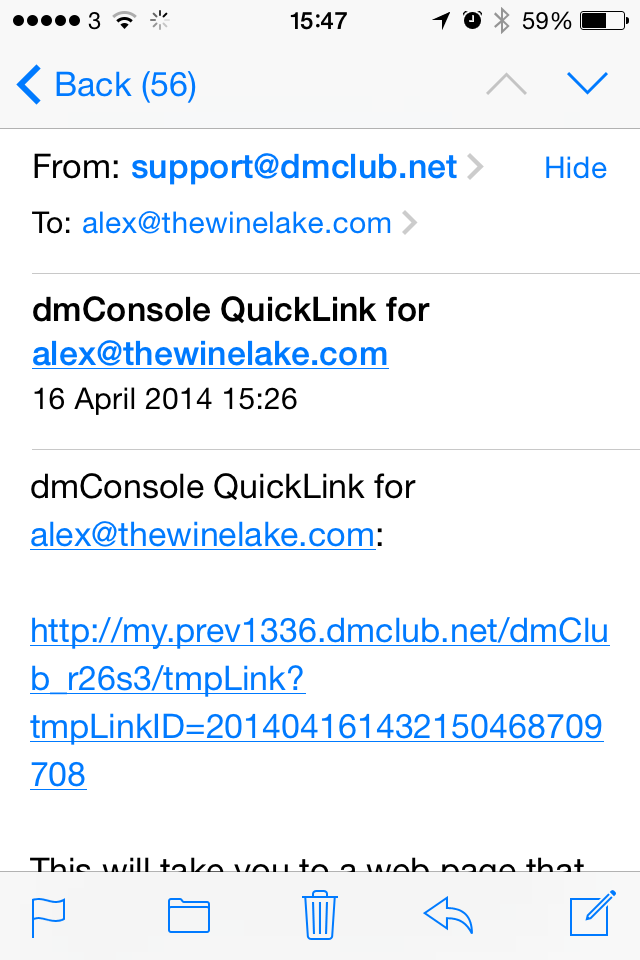
The dmConsole enables you to control aspects of your dmAnswers service (and more in the future). It is handy to have it bookmarked on your browser - or, for a smart phone, available as a web-app on your home screen. The QuickLink offers a one-click login to the dmConsole.
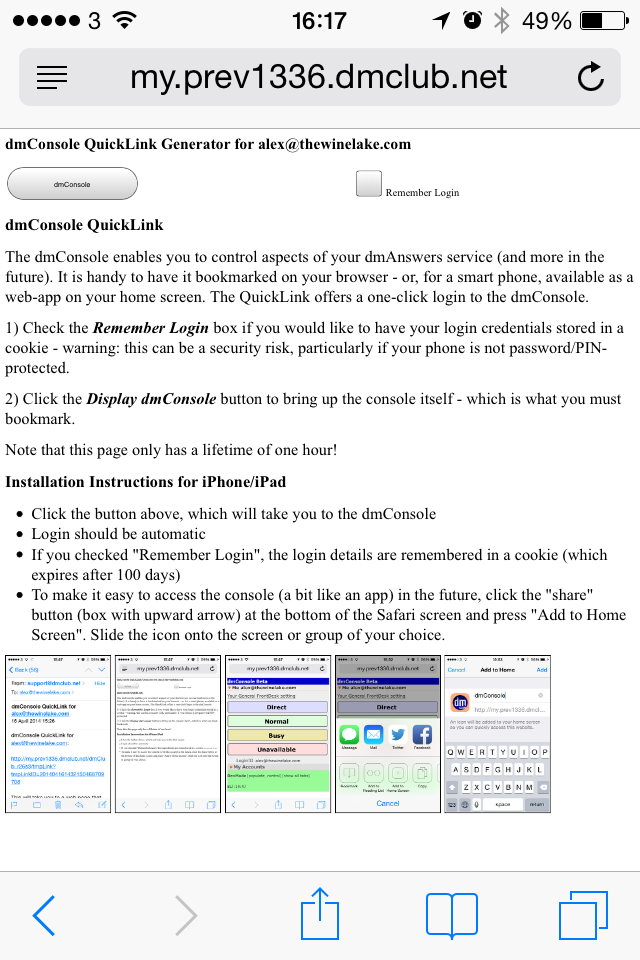
1) Check the Remember Login box if you would like to have your login credentials stored in a cookie - warning: this can be a security risk, particularly if your phone is not password/PIN-protected. The cookie will last indefinitely. To forget the remembered login credentials, you must explicitly log out from your console - which removes the cookie (From the dmConsole, click on "dmConsole Beta" and then the big red "Logout" button).
2) Click the Display dmConsole button to bring up the console itself - which is what you must bookmark.
Note that, for security reasons, this link only has a lifetime of one hour.
Installation Instructions for iPhone/iPad
- Click the button above, which will take you to the dmConsole
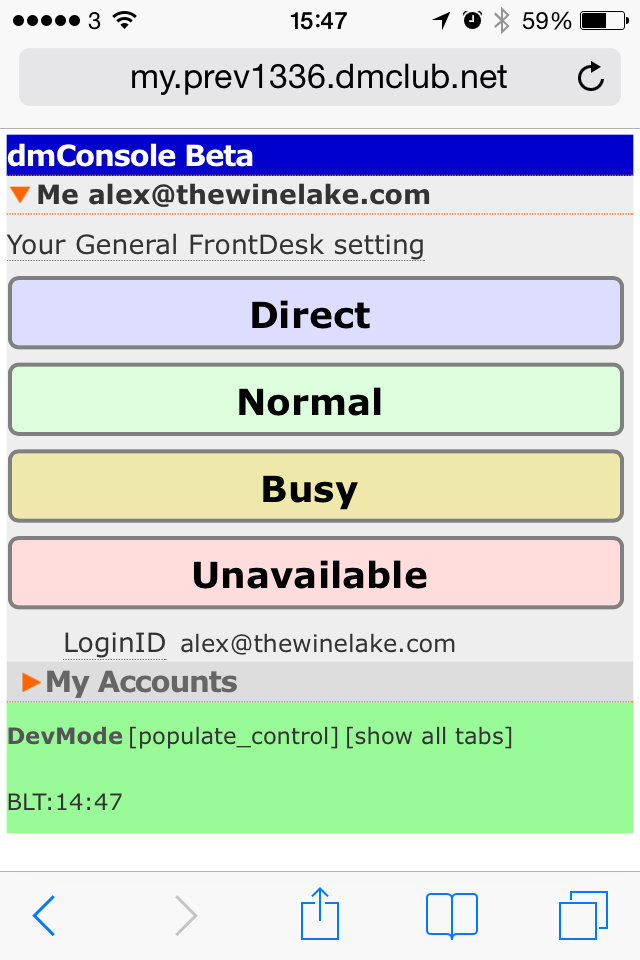
- Login should be automatic
- If you checked "Remember Login", the login details are remembered in a cookie (which never expires)
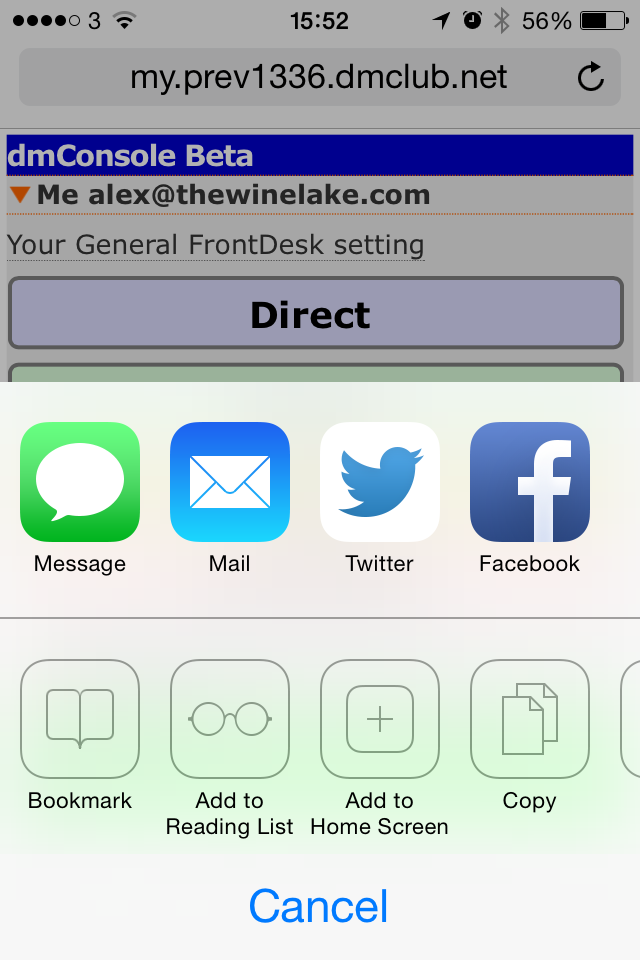
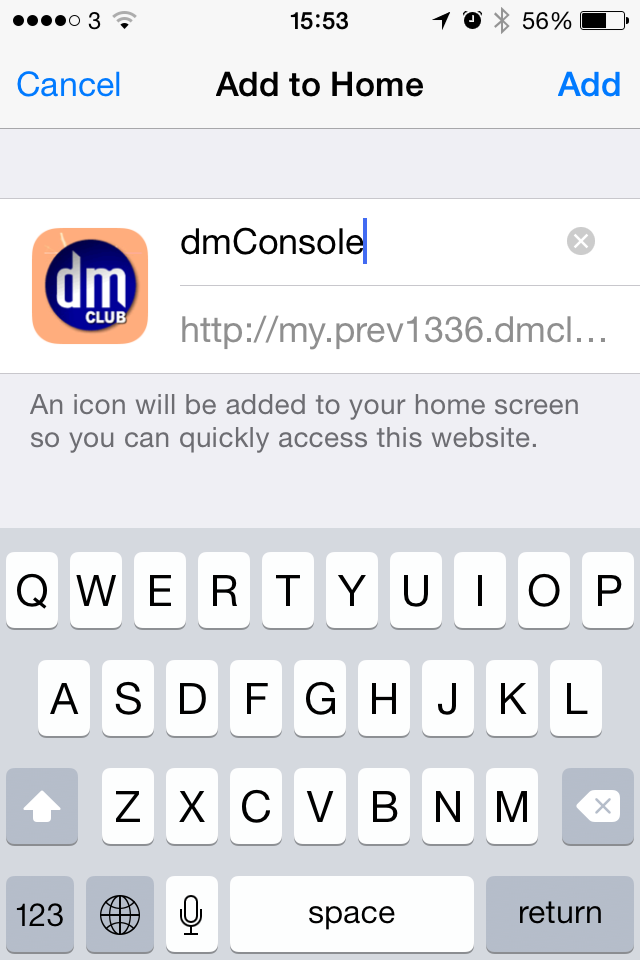
- To make it easy to access the console (a bit like an app) in the future, click the "share" button (box with upward arrow) at the bottom of the Safari screen and press "Add to Home Screen". Slide the icon onto the screen or group of your choice.
Installation Instructions for Android
- Click the button above, which will take you to the dmConsole
- Login should be automatic
- If you checked "RememberLogin", the login details are remembered in a cookie (which never expires)
- To make it easy to access the console (a bit like an app) in the future, click the bookmark icon and store in the "local" area
- Then hold down the newly created bookmark and then select "Add Shortcut to Home" to put the link onto your home screen